
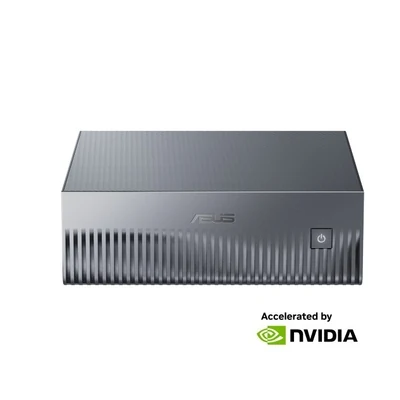
Personal AI supercomputer
ASUS Ascent GX10
- Platform
- NVIDIA GB10
- Memory
- 128GB unified memory
- Storage
- 4TB SSD
- System
- DGX OS
- Model
- GX10-GG0032BN
AI computers use an NPU, GPU or specialist platform to accelerate supported AI tasks. Compare mini PCs, GPU workstations and personal AI supercomputers for your software and workload.
Compare the processor, memory and software support that matter to your workload.
Choose for your software and workload, from everyday AI features to professional GPU applications and local model development.
Desktop platforms for supported AI development, inference and local model experimentation.
Shop range → 02 / GPU APPLICATIONSWorkstation configurations for supported GPU applications and local AI development.
Shop range → 03 / COMPACT AICompact desktops for everyday work and supported on-device AI features.
Shop range → 04 / SHARED COMPUTESystems for planned AI deployments and shared compute workloads.
Shop range →Use the product filters to narrow your selection and open a product for its exact configuration.
An AI computer has hardware that can accelerate supported artificial intelligence tasks. Depending on the system, that work may run on a neural processing unit (NPU), a graphics processor (GPU), or an integrated AI platform.
The useful question is what your software needs. A compact AI PC for everyday features and a desktop AI supercomputer for model development serve different purposes.
Check the NPU and the requirements of your preferred Windows features or applications.
Match the model, runtime and memory requirements to your chosen configuration.
Choose the GPU and drivers supported by your design, engineering or content software.
Plan for the operating system, deployment environment and number of users.
Compare a specialist AI platform, a discrete-GPU workstation and a compact AI PC. Each link opens the exact product configuration.
Personal AI supercomputer
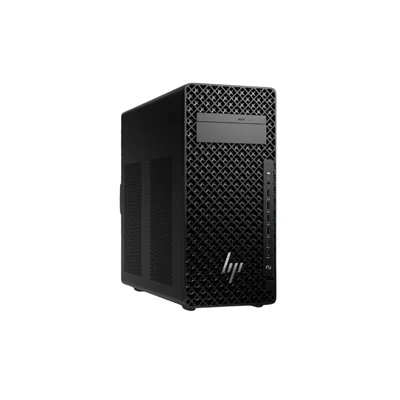
Discrete-GPU workstation
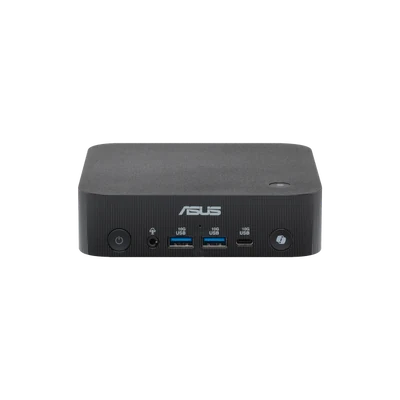
AI mini PC
These are example configurations, not equivalent performance tiers. Check the product page for current price, availability, software compatibility and the supplied specification.
Also exploring GB10 systems? Compare GIGABYTE AI TOP ATOM and MSI EdgeXpert.
Start with the application and the workload, then compare the hardware. The category name alone does not tell you which system will suit your project.
| System type | Consider it for | Check before you buy |
|---|---|---|
| AI PC / AI mini PC | Everyday desktop work and supported on-device AI features. | Exact NPU, application support, included RAM, storage and operating system. Barebone kits may require additional components. |
| GPU workstation | Professional GPU applications and local AI workflows supported by the chosen graphics hardware. | Exact GPU, dedicated graphics memory, system RAM, drivers and framework compatibility. |
| Personal AI supercomputer | Specialist desktop AI development, inference and model experimentation. | Unified memory capacity, CPU architecture, operating system and support for your code, containers and tools. |
| AI server / GPU system | Shared compute or a planned AI deployment with defined capacity and access requirements. | Installed GPUs, memory, networking, power, cooling, physical format and software requirements. |
Compare more than a TOPS figure. Check which processor is measured and the precision and test conditions used. NPU figures and GPU figures may describe different workloads. Memory capacity and software support also affect what you can run.
List your software and model, then decide whether you need inference, fine-tuning or professional application acceleration.
Look at system RAM, dedicated GPU memory or unified memory as appropriate. Requirements vary with model size, precision and context length.
Check the operating system, CPU architecture and supported software versions. A specialist Arm-based system needs compatible tools.
Practical answers to help you choose an AI computer for home, business or development.
Read the desktop buying guide →No. Using a hosted AI service through a supported browser is different from running an AI model on your own hardware. Choose specialist AI hardware when your local software or model workload needs it.
An NPU is a specialised processor for supported AI operations. A GPU handles graphics and parallel computing, including AI workloads supported by its software stack. The better choice depends on the application and the exact hardware.
No. Copilot+ PC is a specific Windows device category with hardware and software requirements. An AI label or an NPU on its own does not confirm eligibility. Check the exact product and Microsoft's current requirements.
It depends on the model, precision, context length and runtime, and whether you are running or fine-tuning it. Check the model's requirements and allow for software overhead. System RAM, dedicated GPU memory and shared unified memory are different configurations.
The ASUS Ascent GX10 configuration featured here lists DGX OS and the NVIDIA GB10 platform. It is a specialist AI development system. Confirm CPU architecture, operating system and application support before choosing it for a Windows workflow.
Local processing can keep supported workloads on your own hardware, but offline use and data handling depend on the application, model, account settings and network configuration. Some tools need internet access for downloads, licensing or cloud features.
Check the exact listing. A barebone configuration may require memory, storage or an operating system before use. Compare the included components with a complete system before ordering.
Have your software, model requirements, preferred operating system and budget ready when you contact DeviceDeal.