
Updated desktop technology guide
Desktop Computer Buying Guide: How to Choose the Right PC
Choose with confidence by matching the desktop type, processor, graphics, memory, storage and connectivity to the work you actually do—including everyday computing, business, content creation, engineering and local AI development.
Step one
Begin with what the desktop must do
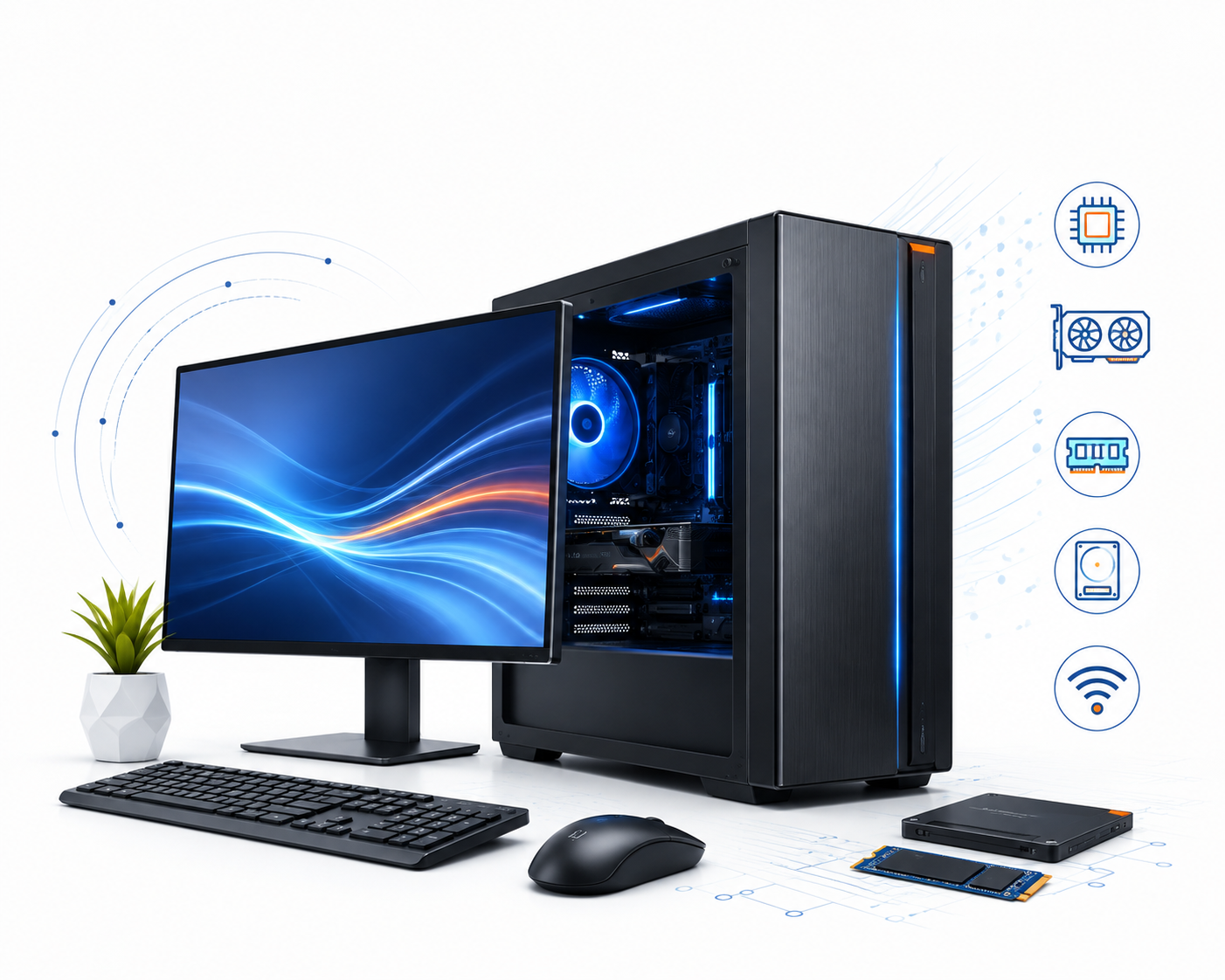
Processor names and model numbers are useful only after you define the job. Write down your most important software, typical file sizes, number of monitors, connected equipment, network requirements and whether the system may need to grow.
Home, study and general use
Web browsing, email, documents, video calls, streaming and household administration usually reward a responsive SSD and enough memory for comfortable multitasking more than specialist graphics hardware.
Office and organisational workloads
Consider application compatibility, multiple displays, wired networking, security and manageability features, device standardisation, warranty requirements and the ports used by existing equipment.
Creative, technical and AI work
Check the software vendor’s recommended—not merely minimum—CPU, GPU, memory, storage, operating-system and driver requirements. Certification can matter for professional applications.
Desktop or laptop?
Choose a desktop when the workspace is fixed
A desktop can be a strong choice when portability is not required. Separate displays and peripherals let you build a comfortable workstation, while some tower and small-form-factor models provide more ports or easier component access than thin portable devices.
However, “desktop” does not automatically mean faster, cheaper or upgradeable. Performance and serviceability depend on the exact configuration and chassis. An all-in-one may have limited internal access, and a mini PC may use compact components or an external power supply.
Form factor
Which type of desktop computer should you buy?
The case style affects desk space, cooling, ports, upgrade options and whether a display is included. The internal specification still determines performance.
| Desktop type | Best suited to | Main advantages | Check before buying |
|---|---|---|---|
| Tower PC | Home offices, power users, gaming and configurable workstations | Room for cooling, ports and—on suitable models—component expansion | Monitor and peripherals may be separate; confirm case size, power supply and available slots |
| Small form factor (SFF) | Business desks and space-conscious offices | Smaller footprint than a tower while retaining a conventional desktop layout | Low-profile expansion limits, power capacity, cooling and internal drive bays |
| Mini PC | Reception, digital workspaces, general office use and compact installations | Very small footprint and flexible placement | Whether memory, storage, operating system, keyboard and mouse are included; number of display outputs |
| Barebone PC | Experienced buyers who want to choose selected components | A compact foundation for a tailored build | May not be a complete computer. Confirm the required memory, storage, operating system and other parts |
| All-in-one (AIO) | Front desks, family spaces, education and clean single-screen setups | Computer and display in one enclosure; fewer separate items on the desk | Display specification, webcam and touch features, port placement, included peripherals and upgrade limitations |
| Workstation | CAD, 3D, engineering, data, media and other professional workloads | Configurations designed for sustained specialist work; selected models may offer professional graphics, higher memory capacity or certifications | Application certification, GPU driver, memory, storage, expansion and support requirements |
| Personal AI supercomputer | AI developers, researchers and data scientists working with supported local models and frameworks | Specialised AI compute and large unified-memory designs in a compact desktop format | Not a general PC substitute. Check processor architecture, operating environment, framework support, model fit and workflow integration |
Explore DeviceDeal’s current all-in-one desktops, mini and barebone PCs, home and office PCs and computer workstations.
Workload guide
Match the specification to your use case
The following are practical starting points, not universal requirements. Always check the current recommendations for your operating system, applications, games, plug-ins, datasets and peripherals.
| Typical use | Practical starting point | What may justify more |
|---|---|---|
| Web, email and study | Modern multi-core processor, 8GB memory and SSD storage | Many browser tabs, large documents, frequent video calls or a longer planned service life |
| General home and office | 16GB memory and a 512GB SSD provide a balanced place to begin | Large spreadsheets, multiple business applications, two or more displays, virtual meetings and background security tools |
| Advanced multitasking | Higher-performance processor, 32GB memory and storage sized to active files | Virtual machines, software development, large datasets, intensive multitasking or specialist add-ins |
| Photo, video and design | Choose around the software’s recommended CPU, GPU and memory; allow fast SSD space for applications and active projects | Higher resolutions, complex timelines, RAW libraries, 3D effects, large canvases and GPU-accelerated features |
| CAD, engineering and science | Workstation configuration aligned to the application vendor’s recommendations | Certified professional graphics, error-correcting memory support, large models, simulation, rendering or long compute jobs |
| Gaming | Build to the games, target resolution, frame rate and display you intend to use | Higher visual settings, ray tracing, high-refresh displays, streaming or future games; balance CPU and GPU |
| Local AI experiments | Choose for the exact model, framework and precision; usable GPU or unified memory is often a key constraint | Larger models, longer context, image/video generation, fine-tuning, multiple users or production-style development |
New technology explained
AI PC, Copilot+ PC, AI workstation or AI supercomputer?
These terms describe different capabilities. They are not interchangeable, and the most expensive option is not automatically the best match.
Standard desktop using online AI services
Many web-based AI tools perform most computation in a data centre. A balanced ordinary desktop may be enough if your work happens mainly in a browser or cloud application. Your internet connection, service plan and organisation’s data policy may matter more than local AI hardware.
AI PC
An AI PC typically combines CPU, GPU and a dedicated neural processing unit. The NPU is designed to accelerate supported AI operations efficiently. Benefits depend on the software actually using it; the presence of an NPU does not speed up every application.
Copilot+ PC
Copilot+ PC is a defined Windows device category, not a generic label for every AI computer. Microsoft specifies a compatible 40+ TOPS NPU, at least 16GB of memory, at least 256GB of storage and a suitable Windows 11 version. Individual experiences can vary by device, region, update and processor platform.
GPU or AI workstation
A workstation with suitable discrete graphics may be the right choice for professional visualisation, rendering, simulation, data science or AI tools that use that GPU platform. Consider GPU memory, application certification, drivers, cooling and power—not just the processor name.
Personal AI supercomputer
Compact GB10-class systems are designed for supported AI development, inference and model work with large unified memory. They may use an Arm-based processor and a specialised software environment, so check that your frameworks, containers, code and connected tools support the platform.
Buy for the workflow, not the label
Choose cloud AI for convenient hosted services, an NPU-equipped AI PC for supported on-device features, a discrete-GPU workstation for GPU-accelerated professional software, or an AI supercomputer when local model size and development tooling justify the specialised platform.
Local versus cloud
Where should your AI workload run?
Cloud AI can provide access to large hosted models without requiring specialist local hardware. It may suit occasional use, rapid experimentation and teams already approved to use a particular service.
Local AI can reduce dependence on an internet connection and may give an organisation greater control over where processing happens. It also transfers responsibility for hardware capacity, updates, security, model licensing, deployment and maintenance to the user or IT team.
Hybrid workflows use local hardware for selected tasks and cloud services for others. This can be sensible when privacy, latency, model size, collaboration or cost differs across workloads.
Core components
How to compare desktop specifications
CPU: overall responsiveness and compute
The CPU handles general instructions, application logic and operating-system work. Compare the exact processor model, not only labels such as “Core 7” or “Ryzen 7”; architecture, generation, core design, clock behaviour and power limits affect performance.
For specialist software, check whether performance depends more on fast individual cores, many cores or a particular instruction set.
GPU: display output and parallel work
Integrated graphics can be suitable for everyday productivity, video playback and supported multi-monitor use. A discrete GPU may be required for higher-end gaming, 3D, rendering, simulation, video effects or GPU-accelerated AI.
Check the exact application, target display resolution, output ports, GPU memory and recommended driver type.
NPU: efficient supported AI processing
An NPU is a specialised processor for compatible neural-network tasks. It may accelerate effects such as background processing, transcription or other on-device AI features while leaving the CPU and GPU available for other work.
Its value depends on application support. Confirm the NPU model and capability when a specific feature matters.
RAM: room for active work
Memory holds the applications and data the computer is actively using. Too little creates slowdowns when the system must repeatedly move data to storage. 16GB is a balanced starting point for many current home and office buyers; demanding creative, technical and virtualised work often benefits from 32GB or more.
Check whether memory is soldered, socketed, upgradeable and installed in a performance-appropriate channel configuration.
SSD and HDD storage
An SSD improves startup, application loading and general responsiveness. NVMe describes an interface/protocol used by many modern SSDs; capacity and real workload performance still vary. A hard disk drive can provide economical bulk storage, but it is mechanical and slower.
Allow space for the operating system, applications, updates, active projects and future growth. Backup is separate from storage capacity.
Cooling, power and noise
High-performance parts must be supported by suitable cooling and power delivery. A compact system can be excellent for the right workload, but a larger chassis may sustain demanding components more comfortably.
For quiet rooms, shared offices or long compute tasks, check acoustic expectations and the system’s configuration rather than assuming smaller means quieter.
Capacity planning
How much memory and storage do you need?
Use your current computer as evidence. Check typical memory use during a busy working session and measure the space occupied by applications and files. Then allow headroom for updates, larger projects and the period you expect to keep the machine.
For memory-heavy work, capacity is often more important than a small difference in memory speed. For local AI, the relevant constraint may be discrete GPU memory or a unified-memory pool available to the CPU and GPU—not only ordinary system RAM.
For storage, separate “fast working space” from “long-term capacity”. A fast SSD is well suited to the operating system, applications and active projects. Large archives may sit on another internal drive, external storage or an approved network/cloud service. Maintain an independent backup of important data.
Compatibility first
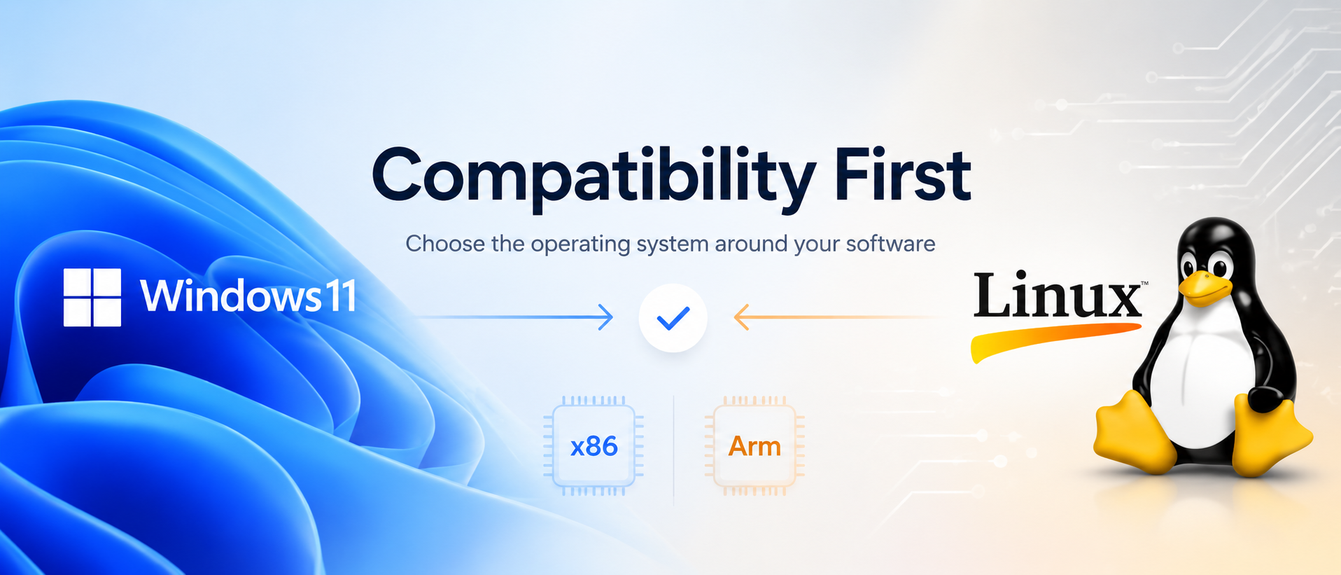
Choose the operating system around your software
Windows 11
For a new Windows desktop, confirm Windows 11 edition, application support, security and management requirements, and whether existing peripherals have supported drivers. Windows 10 support ended on 14 October 2025, although Microsoft offers separate Extended Security Updates options for eligible users who need transition time.
Linux and specialist platforms
Linux may be required or preferred for development, science and AI workflows. Check the exact distribution, kernel, driver, container and vendor support. Personal AI supercomputers can use vendor-specific Linux-based environments rather than a conventional Windows desktop setup.
x86 and Arm architecture
Processor architecture affects operating systems, applications, drivers, plug-ins, virtualisation and development tooling. Emulation may help in some cases, but do not assume every existing x86 application or peripheral works identically on an Arm-based system.
Displays, ports and networks
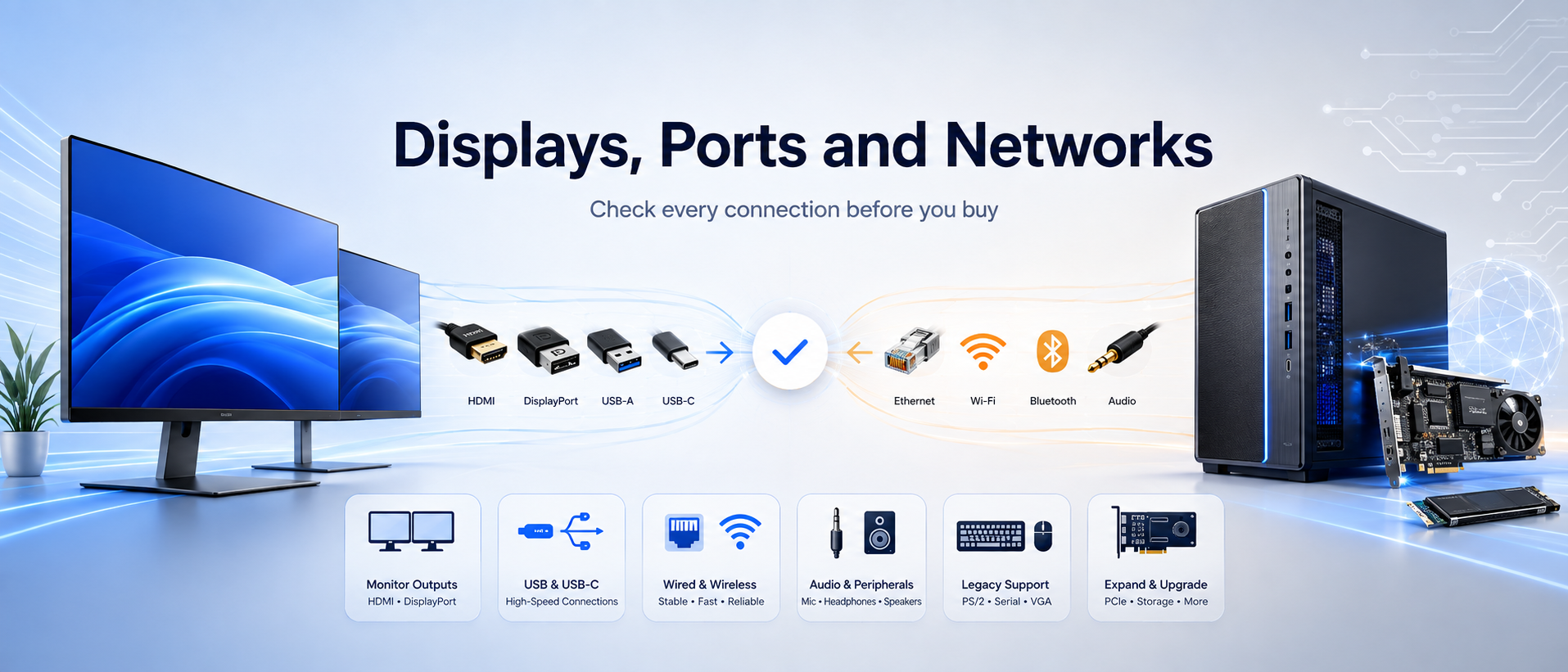
Check every connection before you buy
A powerful desktop can still be the wrong choice if it cannot connect to your monitors, storage, network or specialist equipment without compromises.
Monitor outputs
Count the displays and check each display’s connector, resolution and refresh rate. HDMI and DisplayPort capabilities vary by version and implementation. USB-C supports video only when the system explicitly lists a compatible display mode.
USB and USB-C
Connector shape does not reveal speed or features. Check the stated USB generation, data rate, charging capability, video support and Thunderbolt or USB4 support where required. Confirm front-access ports for frequently connected devices.
Wired and wireless network
Ethernet is useful for stable office, storage and large-transfer workloads. Match network speed to your switch and infrastructure. If you need Wi-Fi or Bluetooth, confirm they are included rather than assuming every desktop has them.
Audio and communications
Check headphone, microphone and speaker connections, especially for call-centre headsets or separate speakers. An all-in-one may include a webcam and microphones, but features differ by model.
Legacy and specialist devices
Printers, scanners, serial devices, measurement equipment, card readers and licensed USB devices may require particular ports, drivers or operating systems. Verify these before replacing an established workstation.
Expansion
For towers and SFF systems, confirm free PCIe slots, slot dimensions, drive bays, memory sockets, internal connectors, chassis clearance and power capacity. “Desktop” does not guarantee a particular upgrade path.
Complete the setup
Allow for the monitor and essential peripherals
Most tower, SFF and mini desktops do not include a monitor. Check the product listing for a keyboard, mouse, webcam, speakers and required cables rather than assuming they are in the box.
Choose display size, resolution, panel type, refresh rate, colour requirements and ergonomics for the work. A larger screen is not automatically sharper; resolution and viewing distance matter. For two or more monitors, confirm both the computer’s outputs and the displays’ inputs.
Also consider a comfortable keyboard and pointing device, a suitable headset or webcam, surge protection or UPS requirements, external storage and a backup plan.
Before ordering
Desktop computer buying checklist
- List the essential applications. Record their current recommended CPU, GPU, memory, storage, operating-system and architecture requirements.
- Identify the hardest real task. Include file sizes, dataset or model size, project complexity, display resolution and typical multitasking.
- Choose the form factor. Measure the space and decide between tower, SFF, mini PC, all-in-one, workstation or specialist AI system.
- Select a balanced processor. Compare the exact model and generation; do not buy from family name or core count alone.
- Decide whether you need a discrete GPU. Check application recommendations, GPU memory, drivers, monitor outputs, power and chassis clearance.
- Decide whether an NPU adds value. Name the supported on-device AI features you expect to use and distinguish AI PC from Copilot+ PC.
- Allow enough memory. Use 16GB as a balanced general-use starting point, then increase for heavy multitasking, creative, technical, virtualised or AI workloads.
- Plan active storage and backup separately. Size the SSD for the OS, applications, updates and working data; keep an independent backup.
- Verify every port. Match displays, USB devices, network, audio, legacy equipment and specialist peripherals.
- Confirm what is included. Check the operating system, monitor, keyboard, mouse, wireless connectivity, cables and software.
- Check serviceability and growth. Confirm memory slots, storage options, expansion, power supply, access procedures and whether upgrades are supported.
- Review the exact product page. Specifications can differ within the same product family; verify the SKU before purchase.
Avoid poor-fit purchases
Common desktop buying mistakes
Buying from one headline number
A high core count, clock speed, TOPS figure or GPU name does not describe the complete system. Memory, cooling, power limits, storage, software support and the workload itself can change the outcome.
Using minimum requirements as a target
Minimum requirements may only mean an application can launch. Recommended requirements are usually a better planning basis, with suitable headroom for updates and larger work.
Assuming all USB-C ports are equal
The connector may carry different data speeds, charging or display capabilities. Verify the exact feature needed on the exact port.
Forgetting the full setup cost
Allow for displays, cables, input devices, webcam or headset, software, storage, backup and any required network upgrades.
Assuming every desktop is upgradeable
All-in-ones and compact systems may have limited component access. Even towers can use proprietary layouts or constrained power supplies. Check the model documentation.
Buying “AI” without defining the task
An NPU may not accelerate your chosen model, while an AI supercomputer may be unnecessary for cloud tools. Start with the application and its supported hardware path.
Frequently asked questions
Desktop computer buying guide FAQs
How do I choose the right desktop computer?
Start with the most demanding software and peripherals you must use. Check their recommended requirements, then choose a form factor that fits your space and allows enough processor, graphics, memory, storage and connectivity capacity. Verify the exact product SKU before purchasing.
How much RAM should a desktop computer have?
For many current home and office buyers, 16GB is a balanced starting point. 8GB can suit lighter use, while advanced multitasking, creative applications, virtual machines, technical workloads and local AI may benefit from 32GB or more. Follow the recommendations for your actual software and check whether memory can be upgraded.
Is a 512GB SSD enough for a desktop?
A 512GB SSD can be a practical starting point for general home and office work, but available space is lower after the operating system and applications are installed. Large games, video, photo libraries, datasets and local AI models may need substantially more. Measure current usage and keep backup capacity separate.
Do I need a dedicated graphics card?
Not necessarily. Integrated graphics can suit everyday productivity, video playback and supported multi-monitor setups. A discrete GPU may be needed for demanding gaming, 3D work, rendering, simulation, video effects or GPU-accelerated AI. Check the application's recommended GPU and memory requirements.
What is the difference between a mini PC and a barebone PC?
A mini PC describes the compact form factor and may be sold as a complete system. A barebone PC is an incomplete foundation that may require memory, storage, an operating system or other components. Always check the included list for the exact model.
Is an all-in-one better than a tower desktop?
Neither is universally better. An all-in-one combines the computer and display for a tidy setup. A tower lets you choose a separate monitor and may offer more cooling, ports or expansion on suitable models. Choose according to space, performance, display and serviceability needs.
What is an AI PC?
An AI PC typically includes a CPU, GPU and dedicated neural processing unit. The NPU accelerates supported AI operations efficiently, but it does not make every application faster. Software support and the exact workload determine the benefit.
Is every AI PC a Copilot+ PC?
No. Copilot+ PC is a specific Microsoft device category with defined hardware and software requirements, including a compatible 40+ TOPS NPU, at least 16GB of memory, at least 256GB of storage and a suitable Windows 11 version. An AI PC with an NPU may not meet all Copilot+ PC requirements.
What is a personal AI supercomputer?
It is a specialist compact system designed for supported local AI development and model workloads. GB10-class systems combine accelerated AI compute with a large unified-memory design. They are aimed at developers, researchers and data scientists, and require careful checks for model, framework, operating environment and Arm-architecture compatibility.
Can I upgrade a desktop computer later?
Some desktops allow memory, storage, graphics or expansion-card upgrades, but capability varies widely. Check free slots, physical clearance, power capacity, firmware support, service documentation and applicable service conditions for the exact model.
Does a desktop computer include a monitor and keyboard?
It depends on the listing. All-in-one computers include a display and may include a keyboard and mouse. Towers, SFF systems and mini PCs commonly require a separate monitor and may not include input devices. Barebone systems can require additional internal components as well.
Should I buy Windows 10 or Windows 11?
For a new Windows desktop, choose a Windows 11 system that supports your applications and peripherals. Standard Windows 10 support ended on 14 October 2025. Organisations that require transition time should review Microsoft's current Extended Security Updates options and plan migration.