SaleDaily DealsClearanceBuying Guides


Description

Intel® quad-core CPU with built-in GPU
2x M.2 NVMe slots for SSD caching
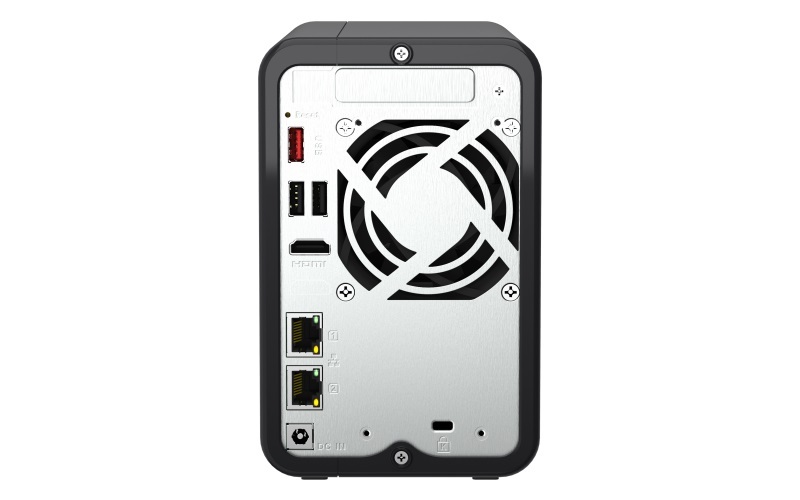
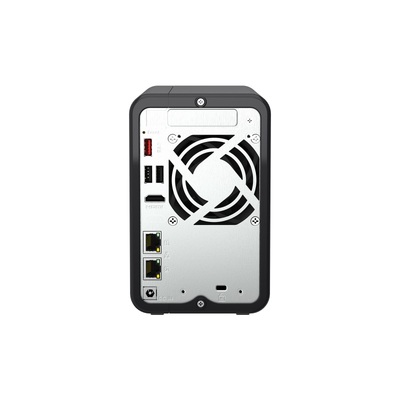
2x 2.5GbE, 1x PCIe slot for 10GbE expansion


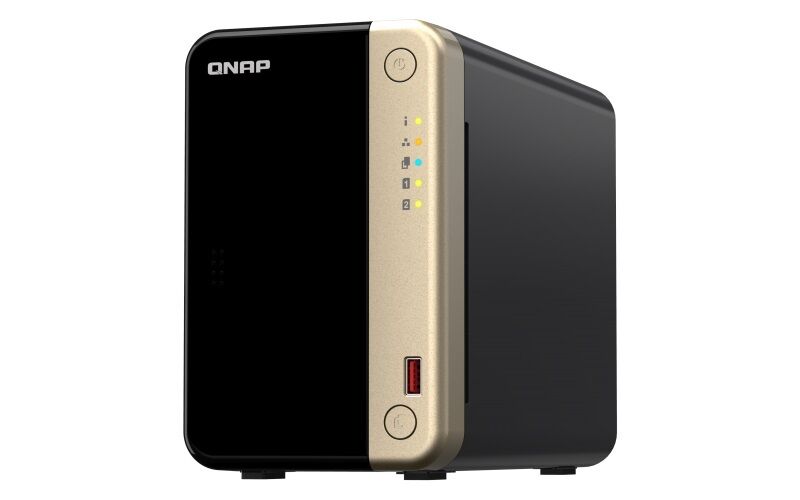
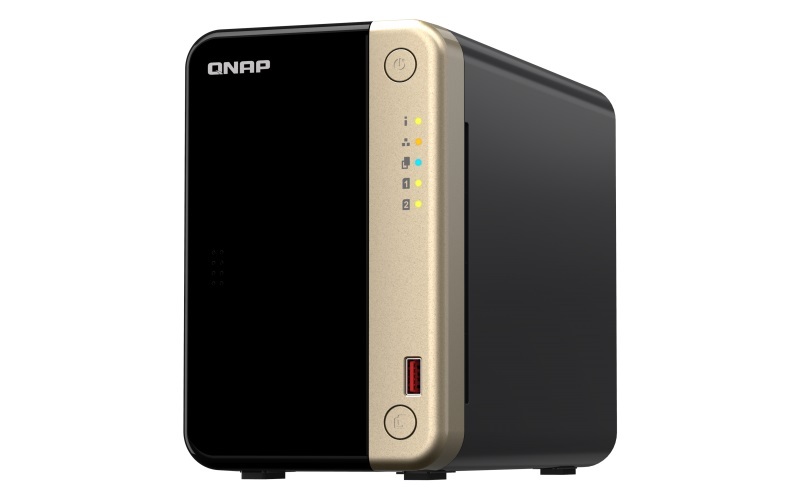
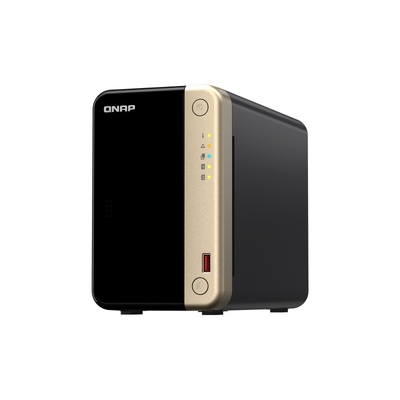
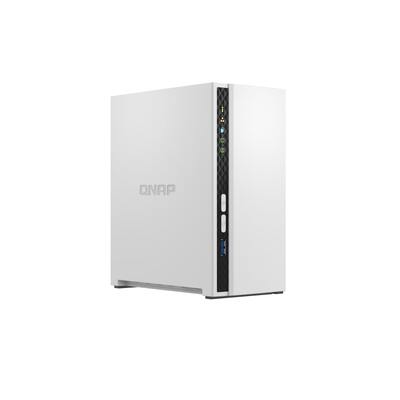
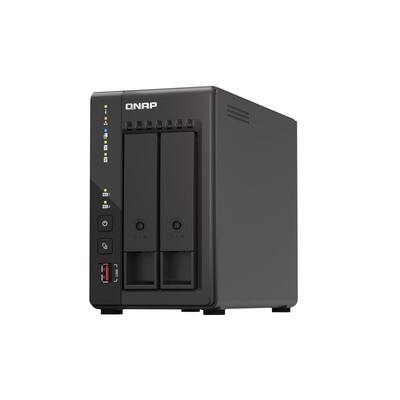
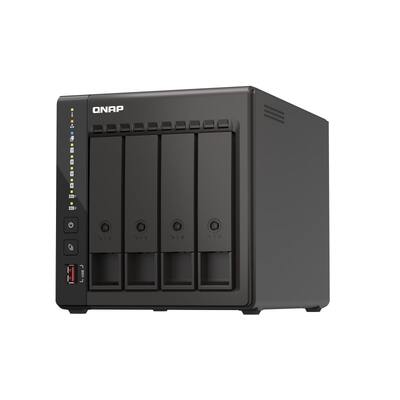
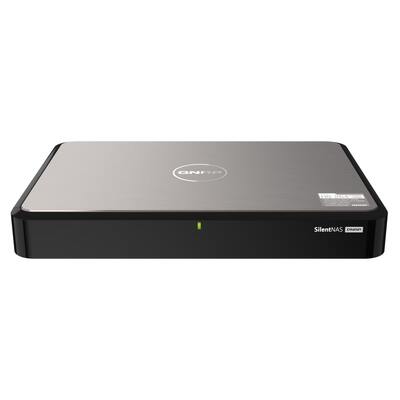
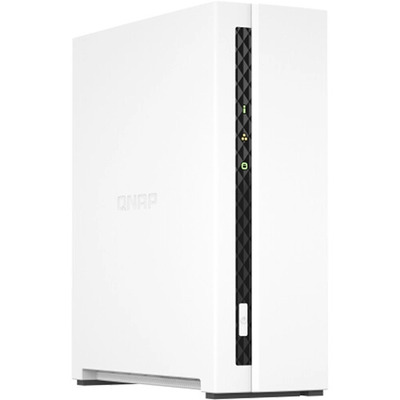
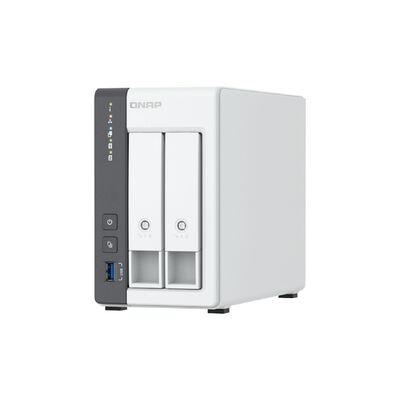
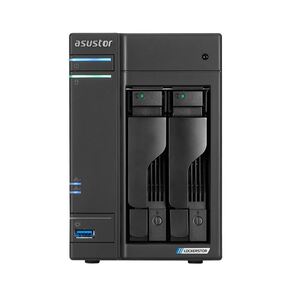
TS-264 is a compact 2-bay NAS with superior performance. Supporting up to 22 TB storage and 4 TB M.2 SSD caching* at an affordable price, the TS-264 fulfills your multitasking challenges for file management, backup, collaboration, and video conversion.

The TS-264 uses the QTS operating system by default. You will be able to switch to using the QuTS hero operating system. QuTS hero provides benefits such as ZFS data integrity and WORM technology to prevent data tampering. (Switching to QuTS hero is supported starting from QTS 5.2.2.)


  • 2.5GbE is a must!

    TS-264 is as fast as a single-port 10GbE NAS with up to 589 MB/s transfer speeds by setting port trunking with the two built-in 2.5GbE (2.5G/1G/100M) ports.

  • Quad-core for multitasking

    Perform additional tasks, stream more media, and have more services running with an Intel® quad-core processor optimized for multitasking.

  • Smooth video conversion

    Built-in GPU for enhanced video conversion, allowing videos to be smoothly streamed from the NAS to mobile devices.

  • Upgrade to dual-port 10GbE

    Futureproof your network connection by installing a PCIe dual-port 10GbE network card that delivers up to 1,644 MB/s transfer speed.

  • Faster USB transfer

    Two USB 3.2 Gen 2 (10Gbps) ports allow faster backup to/from USB devices.

  • More M.2 NVMe SSDs

    If two M.2 slots aren’t enough, install a QM2 PCIe expansion card for more M.2 SSD slots.


Specification

CPU Intel® Celeron® N5095 4-core/4-thread processor burst up to 2.9 GHz
CPU Architecture 64-bit x86
Graphic Processors Intel® UHD Graphics
Floating Point Unit
Encryption Engine  (AES-NI)
Hardware-accelerated Transcoding
System Memory 8 GB SODIMM DDR4 (1 x 8 GB)
Since 2024/01
Maximum Memory 16 GB (2 x 8GB)
Flash Memory 4GB (Dual boot OS protection)
Drive Bay 2 x 3.5-inch SATA 6Gb/s
The system is shipped without HDD.
Drive Compatibility 3.5-inch SATA hard disk drives
2.5-inch SATA solid state drives
Hot-swappable
M.2 Slot 2 x M.2 2280 PCIe Gen 3 x1
Compatible with NVMe SSD PCIe Gen 3 and above. 
SSD Cache Acceleration Support
2.5 Gigabit Ethernet Port (2.5G/1G/100M) 2 (2.5G/1G/100M/10M)
5 Gigabit Ethernet Port (5G/2.5G/1G/100M) Optional via PCIe expansion card
10 Gigabit Ethernet Port Optional via PCIe expansion card
Wake on LAN (WOL)
Jumbo Frame
PCIe Slot 1
Slot 1: PCIe Gen 3 x2
Card dimensions for PCIe slot:190 x 68.9x 18.76 mm / 7.48 x 2.71 x 0.74 inches.
USB 2.0 port 2
USB 3.2 Gen 2 (10Gbps) Port 2 x Type-A
IR Sensor  (Optional QNAP RM-IR004 remote control)
HDMI™ Output 1, HDMI™ 2.1 (up to 4096 x 2160 @ 60Hz)
Form Factor Tower
LED Indicators Power/Status, LAN, USB, HDD1-2
Buttons Power, USB copy, Reset
Dimensions (HxWxD) 165 × 105 × 226.5 mm
Dimensions do not include foot pad (foot pad may be up to 30mm / 1.18 inches high depending on model)
Weight (Net) 1.55 kg
Weight (Gross) 2.61 kg
Operating Temperature 0 - 40 °C (32°F - 104°F)
Storage Temperature -20 - 70°C (-4°F - 158°F)
Relative Humidity 5-95% RH non-condensing, wet bulb: 27˚C (80.6˚F)
Power Supply Unit 60W adapter, 100-240V
Power Consumption: HDD Sleep Mode 18.288 W
Power Consumption: Operating Mode, Typical 29.086 W
Tested with drives fully populated.
Fan 1 x 70mm, 12VDC
System Warning Buzzer
Kensington Security Slot
Standard Warranty 3
Max. Number of Concurrent Connections (CIFS) - with Max. Memory 1500


Compatibility
  • ✔ Expansion Units:
    See which QNAP NAS and expansion units are compatible.
    Explore HERE .
  • ✔ Others (Drives, Accessories, Cards, etc.):
    See which QNAP NAS and storage drives, expansion cards, rail kits and accessories are compatible.
    Explore HERE .

(TS-264-8G)

 
CPU Intel® Celeron® N5095 (or N5105) 4-core/4-thread processor, burst up to 2.9 GHz
CPU Architecture 64-bit x86
Graphic Processors Intel® UHD Graphics
Floating Point Unit  
Encryption Engine (AES-NI)
Hardware-accelerated Transcoding  
System Memory 8 GB on board (non-expandable)
Maximum Memory 8 GB
Flash Memory 4GB (Dual boot OS protection)
Drive Bay 2 x 3.5-inch SATA 6Gb/s
The system is shipped without HDD.
For the HDD compatibility list, please visit https://www.qnap.com/compatibility/
Drive Compatibility 3.5-inch SATA hard disk drives
2.5-inch SATA hard disk drives
2.5-inch SATA solid state drives
Hot-swappable  
M.2 Slot 2 x M.2 2280 PCIe Gen 3 x1
SSD Cache Acceleration Support  
2.5 Gigabit Ethernet Port (2.5G/1G/100M) 2 (2.5G/1G/100M/10M)
Wake on LAN (WOL)  
Jumbo Frame  
PCIe Slot 1
Slot 1: PCIe Gen 3 x2
USB 2.0 port 2
USB 3.2 Gen 2 (10Gbps) Port 2 x Type-A
IR Sensor (Optional QNAP RM-IR004 remote control)
HDMI Output 1, HDMI 2.0
Form Factor Tower
LED Indicators Power/Status, LAN, USB, HDD1-2
Buttons Power, USB copy, Reset
Dimensions (HxWxD) 168 × 105 × 226 mm
Weight (Net) 1.55 kg
Weight (Gross) 2.68 kg
Operating Temperature 0 - 40 °C (32°F - 104°F)
Storage Temperature -20 - 70°C (-4°F - 158°F)
Relative Humidity 5-95% RH non-condensing, wet bulb: 27˚C (80.6˚F)
Power Supply Unit 65W adapter, 100-240V
Power Consumption: HDD Sleep Mode 8.198 W
Power Consumption: Operating Mode, Typical 12.448 W
Tested with drives fully populated.
Fan 1 x 70mm, 12VDC
System Warning Buzzer
Kensington Security Slot  
Max. Number of Concurrent Connections (CIFS) - with Max. Memory 1500
Note: Use only QNAP memory modules to maintain system performance and stability. For NAS devices with more than one memory slot, use QNAP modules with identical specifications.
Warning: Using unsupported modules may degrade performance, cause errors, or prevent the operating system from starting.
The terms HDMI, HDMI High-Definition Multimedia Interface, HDMI trade dress and the HDMI Logos are trademarks or registered trademarks of HDMI Licensing Administrator, Inc.
Product images are for illustrative purposes only and may differ from the actual product. Due to differences in monitors, colors of products may also appear different to those shown on the site.
Designs and specifications are subject to change without notice.
  1.  
    Operating System

    QTS 5.0.1

    Supported Client Operating Systems
    1. Apple Mac OS 10.10 or later
    2. Ubuntu 14.04, CentOS 7, RHEL 6.6, SUSE 12 or later Linux
    3. IBM AIX 7, Solaris 10 or later UNIX
    4. Microsoft Windows 7, 8, 10 and 11
    5. Microsoft Windows Server 2008 R2, 2012, 2012 R2, 2016, and 2019
    Show more...
    Supported Browsers
    1. Apple Safari (latest version)
    2. Google Chrome (latest version)
    3. Microsoft Edge (latest version)
    4. Mozilla Firefox (latest version)
    Supported Languages

    Chinese (Traditional & Simplified), Czech, Danish, Dutch, English, Finnish, French, German, Greek, Hungarian, Italian, Japanese, Korean, Norwegian, Polish, Portuguese (Brazil), Romanian, Russian, Spanish, Swedish, Thai, and Turkish

    Storage Pool


    SED Storage Pool


    Maximum Pool size

    308 TB

    Maximum number of storage pool

    128

    Volume Type

    Thick, Thin, Static

    Maximum volume size

    250 TB

    Note: At least 4 GB RAM is required.

    Maximum number of volume

    128

    Maximum shared folder size

    250 TB

    Maximum number of shared folder

    512

    JBOD Expansion


    VJBOD / VJBOD Cloud


    iSCSI Service


    Fibre Channel Service


    LUN Type

    Thick, Thin

    File-based iSCSI LUN


    Block-based iSCSI LUN


    Maximum LUN size

    250 TB

    Note: At least 4 GB RAM is required.

    Maximum number of targets LUN

    256

    LUN feature
    1. LUN Mapping (LUN can be moved between iSCSI and FC)
    2. LUN Masking
    3. WWPN Aliases Import/Export
    4. FC Port Group
    5. FC Port Binding
    6. Multipath IO (MPIO)
    7. Online LUN capacity expansion
    8. LUN snapshot
    9. LUN snapshot replication and clone
    Show more...
    Auto Tiering


    Requires minimum 2GB memory.

    RAID Type
    1. 8-bay (and more): JBOD, Single, RAID 0, 1, 5, 6, 10, 50, 60
    2. 6-bay: JBOD, Single, RAID 0, 1, 5, 6, 10, 50
    3. 4-bay: JBOD, Single, RAID 0, 1, 5, 6, 10
    4. 2-bay: JBOD, Single, RAID 0, 1
    RAID Group


    To ensure data security, system stability, and storage performance, the maximum number of drives for a single RAID group is now 16 (applicable to RAID 5, RAID 6, RAID TP, and subgroups of RAID 50 and RAID 60). Nevertheless, users can combine multiple RAID groups into a large storage pool that contains more than 16 drives, using RAID 50, RAID 60, or RAID 10 as the RAID configuration. This enhancement will only be applied to new RAID groups. All existing RAID groups and storage systems will not be affected.

    RAID Level Migration


    RAID Expansion (by adding Disk)


    RAID Expansion (by replacing bigger Disks)


    Storage Pool Expansion (by adding RAID Group)


    RAID Hot Spare

    Global, Local

    RAID Sync/Rebuild/Scrubbing


    Internal drive

    EXT4

    External drive

    EXT3, EXT4, NTFS, FAT32, HFS+, and exFAT (optional for ARM model)

    Note: To use exFat in certain models you must purchase an exFAT driver license from License Center.

    Disk, Enclosure Locate


    Disk S.M.A.R.T. Scan


    Disk S.M.A.R.T. Data Migration


    Ironwolf Health Management


    Secure Erase


    SSD Trim


    SSD Life Estimation


    Disk Roaming


    Disk Standby


    Volume Snapshot


    LUN Snapshot


    Maximum Snapshot (Per System)

    Check maximum number of snapshots of your NAS

    Maximum Snapshot (Per Volume / LUN)

    Check maximum number of snapshots of your NAS

    Minimum Snapshot Interval

    5 minutes

    Snapshot Retention Policy


    Self-serve Snapshot Recovery


    Application Consisted Snapshot


    Snapshot Full Clone


    Snapshot Replica / Vault


    SSD read-only Cache


    SSD read-write cache


    SSD write-only cache


    SSD Cache Maximum Size

    Check your QNAP NAS cache capacity and RAM requirements

    SSD Cache RAID

    0, 1, 5, 6, 10

    SSD profiling tool


    External Device Management


    Mount Smart Phone (MTP)


    External RAID Device (QNAP so on) Management (External Device Mode)


    External RAID Device (QNAP so on) Management (NAS Mode)


    File Server
    1. File sharing across Windows, Mac, and Linux/UNIX
    2. Microsoft networking (CIFS/SMB)
    3. Apple networking (AFP)
    4. NFS version 3/4 services
    FTP Server
    1. QuFTP
    2. FTP, SFTP and TFTP protocols
    3. FTP over SSL/TLS (explicit FTPS)
    4. FXP support
    Maximum FTP connection

    1024

    File Station (Web)


    Object Storage


    Local user account

    4,096

    Local group account

    512

    Domain user/group account

    200,000

    Domain Security


    Domain Controller


    Shared folder permission


    Advanced folder permission

    , (AFP, CIFS/SMB, FTP, and File Station)

    Windows ACL

    , (CIFS/SMB)

    User quota


    Group quota


    Folder quota

    , (Snapshot shared folder)

    Home folder


    Resource Monitor


    SNMP

    V2, V3

    Network recycle bin
    1. Recover files deleted using AFP, CIFS/SMB, and File Station
    2. Automatic cleanup and file type filter
    System Log & Notification Center

    Log recording: 3,000 event per second

    Smart Fan


    Schedule on/off


    Internet protocol

    IPv4, IPv6

    Virtual Switch


    Port trunking

    , (7 modes)

    VLAN


    DHCP Server


    DDNS (Dynamic Domain Name Service)


    Network access protection with auto-blocking

    SSH, Telnet, HTTP(S), FTP, CIFS/SMB, and AFP

    Security Counselor


    Malware Remover


    AES 256-bit Volume Encryption validated by FIPS 140-2 CAVP


    2-step verification


    Allow/Deny List


    Access Protection


    Service binding


    Firewall


    vSphere Web Client Plug-in


    VMware vSphere VAAI for iSCSI


    VMware vSphere VAAI for NAS


    Windows ODX


    Windows/VMware Snapshot Agent


    HTTP/HTTPS Connections

    TLS 1.0/1.1/1.2/1.3

    Supports WebDAV Connection


    Supports Virtual Hosts

    32

    Qsync


    Note: At least 1 GB RAM is required.

    [Qsync] Management Mode

    User customization, Central

    [Qsync] Qsync client supported platforms

    Windows, macOS, Ubuntu, Android, and iOS

    [Qsync] Maximum number of version control

    64

    HybridMount


    Note: At least 1 GB RAM is required.

    [HybridMount] File Cloud Gateway

    Concurrent Connections = 20 Upload & 20 Download

    [HybridMount] Network Drive Mount


    [HybridMount] Free cloud gateway sessions

    2

    HBS (Hybrid Backup Sync)


    Note: At least 1 GB RAM is required.

    [HBS (Hybrid Backup Sync)] NAS to NAS backup


    [HBS (Hybrid Backup Sync)] Cloud Backup


    [HBS (Hybrid Backup Sync)] Cloud Sync


    [HBS (Hybrid Backup Sync)] 2-way and Active Sync


    [HBS (Hybrid Backup Sync)] Backup Deduplication


    [HBS (Hybrid Backup Sync)] Apple Time Machine Backup


    [HBS (Hybrid Backup Sync)] External drive backup


    [HBS (Hybrid Backup Sync)] Maximum number of backup job

    400

    Hyper Data Protector


    Boxafe


    Note: At least 4 GB RAM is required.

    [Boxafe] Office 365 Backup


    [Boxafe] Google Workspace Backup


    [Boxafe] Full-text search


    Qsirch


    Note: This feature is supported by all QNAP NAS devices with at least 2 GB of memory

    [Qsirch] Previews

    Photos, music, videos, PDFs, Gmail, and others

    [Qsirch] Integrate Mac Finder


    [Qsirch] Advanced picture search


    [Qsirch] Search filters


    QuMagie


    Note: At least 1 GB RAM is required.

    [QuMagie] Browse photos


    [QuMagie] Virtual and smart albums


    [QuMagie] AI-assisted photo management

    People, things, places, and others

    Antivirus (free)


    McAfee (License)


    QVPN Service


    Note: At least 1 GB RAM is required.

    [QVPN Service] Remote Access

    PPTP, L2TP/IPSec, OpenVPN, WireGuard, QBelt (QNAP proprietary)

    [QVPN Service] Supportedd utility and mobile app

    Windows, macOS, iOS, and Android

    [QVPN Service] Supported maximum clients

    100

    HD Station


    LDAP Server


    RADIUS


    SQL server


    License Center


    Multimedia Console


    Photo Station


    Music Station


    Video Station


    Download Station


    Notes Station


    Qfiling


    Media Streaming add-on


    QmailAgent


    QuWAN


    DA Driver Analyzer


    Q'center


    Note: The application is available in the App Center and in virtual appliance marketplaces (VMware vSphere ESXi and Microsoft Hyper-V).

    Q'center Server


    Q'center Agent


    Connect to Q'center


    Virtualization Station


    Note: At least 4 GB RAM is required.

    [Virtualization Station] Supports Virtual machine instances

    Windows, Linux, Unix, and Android

    [Virtualization Station] VM importing, exporting, cloning, snapshot capturing, backup, and restoration

    All function is Fine.

    [Virtualization Station] Virtual switches

    Can create a virtual switch

    [Virtualization Station] GPU pass-through

    Not support GPU

    [Virtualization Station] Suggested number of virtual machine instances

    4

    The actual number of virtual machine instances may vary by the memory installed on NAS (e.g. 1 VM= 1 thread for 1 vCPU and 1GB memory). Please expend memory if needed.

    Container Station


    Note: At least 1 GB RAM is required.

    [Container Station] Supported type

    LXC/LXD and Docker

    Note: LXD has been supported after Container Station 2.4

    [Container Station] Docker Hub Registry


    [Container Station] Container importing and exporting


    [Container Station] Console mode


    Linux Station


    Notification: At least 4 GB RAM is required.

    [Linux Station] Supports Ubuntu versions

    18.04, and 20.04

    Linux Station Center


    QVR Pro


    Note: At least 4 GB RAM is required. The maximum number of channels supported varies by NAS model, network configuration, and camera settings. For more information, visit https://www.qnap.com/go/qvr-nas-selector.

    [QVR Pro] Recording Technique

    Index database based

    [QVR Pro] License Type

    Perpetual

    [QVR Pro] User-defined trigger events


    [QVR Pro] Metadata


    [QVR Pro] QVR Pro Client (Desktop)

    Windows, macOS, and QNAP HybridDesk Station

    [QVR Pro] QVR Pro Client (Mobile)

    Android and iOS

    [QVR Pro] Recording camera streams

    H.264

    [QVR Pro] Free built-in camera channels

    8

    QVR Elite


    Note: At least 1 GB RAM is required. The maximum number of channels supported varies by NAS model, network configuration, and camera settings. For more information, visit https://www.qnap.com/go/qvr-nas-selector.

    [QVR Elite] Recording Technique

    Standard MP4 file based

    [QVR Elite] License Type

    Subscription-based

    [QVR Elite] User-defined trigger events


    [QVR Elite] QVR Pro Client (Desktop)

    Windows, macOS, and QNAP HybridDesk Station

    [QVR Elite] QVR Pro Client (Mobile)

    Android and iOS

    [QVR Elite] Recording camera streams

    H.264

    [QVR Elite] Free built-in camera channels

    2

    QVR Pro Client


    [QVR Pro Client] Dynamic View Layout


    [QVR Pro Client] Windows


    [QVR Pro Client] Mac


    [QVR Pro Client] HybridDesktop


    [QVR Pro Client] iOS


    [QVR Pro Client] Android


    QVR Center


    Note: At least 4 GB RAM is required.

    [QVR Center] Log management


    [QVR Center] Central monitoring across multiple servers


    QVR Guard


    Note: At least 4 GB RAM is required.

    [QVR Guard] Failover design


    [QVR Guard] Viewing task details


    [QVR Guard] Automatic switch between Standby and Takeover modes


    QVR Human


    QVR Face


SKU TS-264-8G
Model # TS-264
Barcode # 4063448007990
Brand QNAP
Shipping Weight 2.6000kg
Shipping Width 0.320m
Shipping Height 0.200m
Shipping Length 0.280m
Shipping Cubic 0.017920000m3

Maunfacturer Warranty: 3 Years Maunfacturer Warranty

Be The First To Review This Product!

Help other Device Deal users shop smarter by writing reviews for products you have purchased.

Write a product review

QNAP TS-264-8G 2-Bay Diskless NAS Celeron N5095 Quad-Core 8GB

Model # TS-264-8G

  • SKU: TS-264-8G

You Might Want To Add


$899.00
WAS $931.00
$949.00
SAVE $50.00 (5%)
Sale Ends on:
23:59 pm, 5 July 2026
In Stock
Maximum Order Quantity 2


We Also Recommend


Others Also Bought


More From This Category